


Email Verification That Keeps Bad Addresses Out Of Your Campaigns.
Every address is checked before you send, and the risky ones are held back for you automatically.
How It Works
Checked On The Way In
Verification runs on every import, and on any list whenever you ask.
- 01
Bring Your Addresses
Import contacts, pick a list or segment, upload a CSV, or type a single address.
- Import
- List or segment
- CSV upload
- One address
- 02
Every Address Is Checked
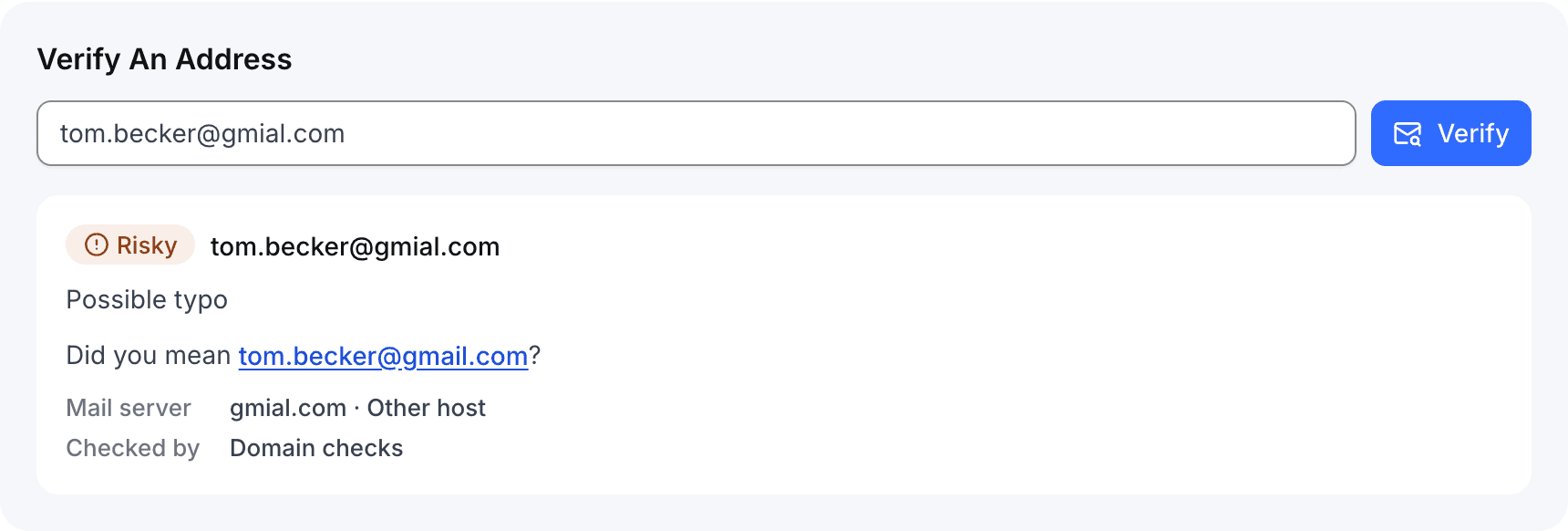
Format, mail server, disposable, role and typo checks, with the mail host reported.
- Valid
- Risky
- Invalid
- 03
Bad Addresses Stay Out
Risky and invalid contacts are held out of every campaign until you choose to include them.
- Held automatically
- Opt in per campaign
The Results
Every Verdict, With Its Reason
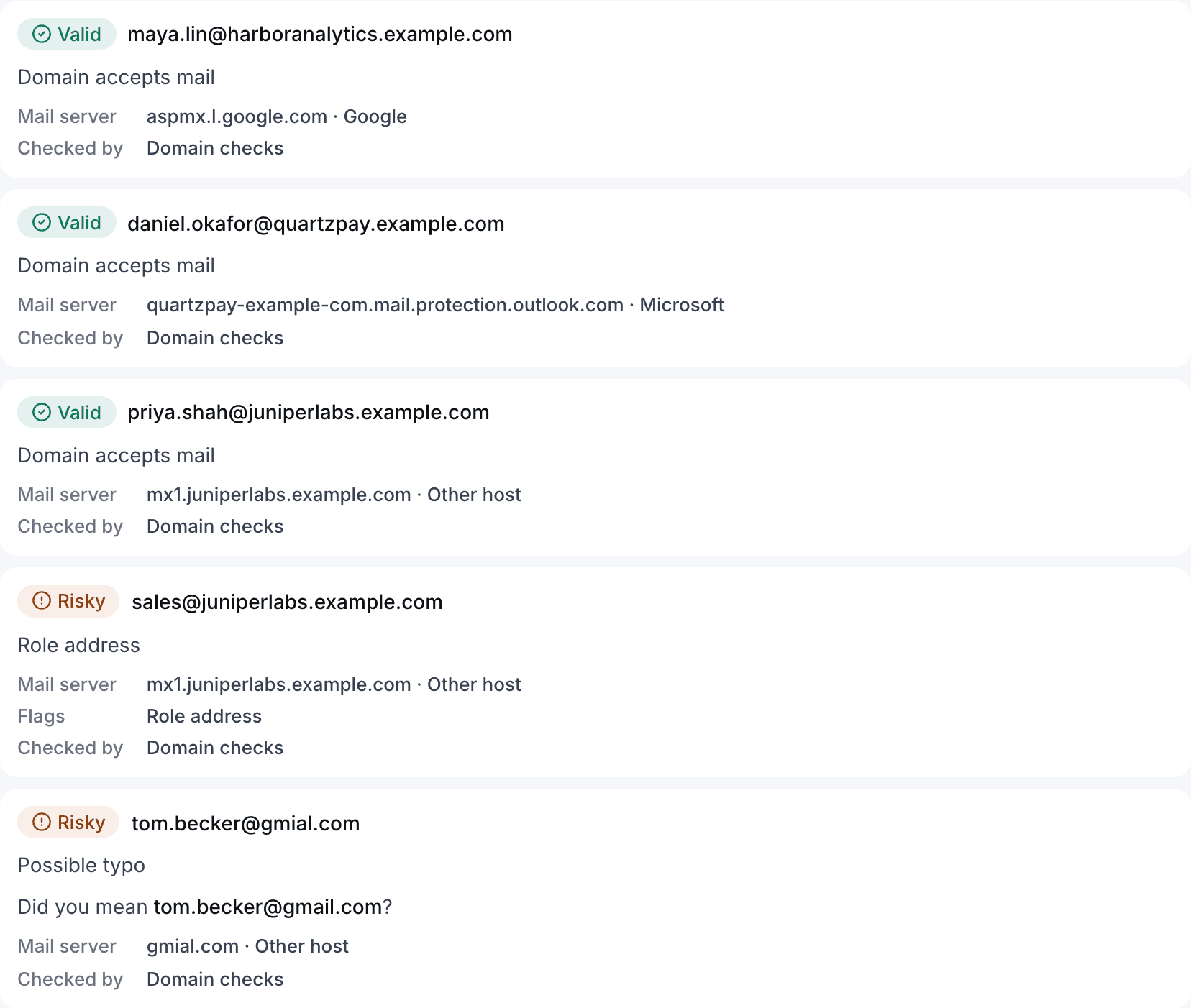
Each run shows progress, totals and every address with the check that decided it.

The Checks
What Every Address Goes Through
Each check below runs on every address, and each result names the one that decided it.
Address Format
Addresses that are not a well-formed mailbox address are marked invalid.
Mail Server
Looks up the domain's MX records, falls back to its A or AAAA address when it publishes none, and marks a domain invalid when it has no mail server or declares that it accepts no mail (null MX).
Disposable Domains
Checks the domain against more than 120,000 known throwaway-inbox domains.
Role Addresses
Shared inboxes such as info@ and sales@ are marked risky, because they rarely reach one person.
Typo Suggestions
Common misspellings of major mail domains are marked risky, with the corrected address suggested.
Free-Mail Flag
Addresses at consumer mail providers are flagged for you to see; the flag never changes the verdict.
Mail Host
Reports the mail server each domain uses, and whether it is hosted by Google or Microsoft.
Built Into Sending
Verdicts That Act On Their Own
A verifier hands you a file. Here the verdict changes who your campaigns reach.
- Held AutomaticallyRisky and invalid contacts leave every audience, and queued messages to them are cancelled.
- Your Call Per CampaignOpt risky contacts back in for one campaign without changing the rest.
- Nothing Unchecked At LaunchThe launch screen counts recipients not yet verified and verifies them in one click.
AI-Assisted
AI Explains, The Checks Decide
AI never marks an address valid or invalid. It helps you act on the results.
- Plain-English SummariesWhat a finished run found and what to do next, written from its totals.
- Typo Fixes, Confirmed In DNSSuggested corrections for dead domains, kept only when the corrected domain has a mail server.
- Messy CSVs MappedThe email column picked from headers and value shapes, for you to confirm.
Email Verification Questions
What is checked, what happens next, and how AI fits in. Read the guide.
Email verification checks whether an address can receive mail before you send to it. In SendCanyon every address gets one verdict — valid, risky or invalid — and the reason that decided it, so a malformed address, a dead domain or a throwaway inbox never reaches your campaign. Verification runs on its own for every import and new contact, and on any list, segment or uploaded file whenever you ask.
Send Only To Addresses That Can Receive It.
Verify your first list on the free trial.