Introduction
Every outreach tool ships a dashboard, and most of those dashboards lead with the same two numbers: delivery rate and open rate. Both are green. Both are large. And neither one will warn you that your domain is three weeks from being unusable. Meanwhile the metrics that actually predict the health of a sending program — reply rate, hard-bounce rate, complaint rate, placement — get buried or never measured at all. SendCanyon's [campaign analytics](/features#analytics) report replies, bounces and complaints by campaign, mailbox and domain for that reason.
Here's the honest hierarchy: which numbers deserve alerts, which deserve a glance, and which are decoration.
The four that matter
Reply rate: the one true engagement metric
Reply rate is the only engagement number that is both unfakeable and directly tied to why you're sending at all. It can't be inflated by bot prefetches, it requires a human decision, and mailbox providers weight genuine replies more heavily than any other positive signal. There is no published benchmark worth quoting for it, so compare against yourself: replies per sequence (not per email) from your own past campaigns to a similar list. A sustained drop against that baseline means your list, your offer, or your placement changed — and the number won't tell you which, but it will tell you to stop scaling until you know.
Hard-bounce rate: the tripwire
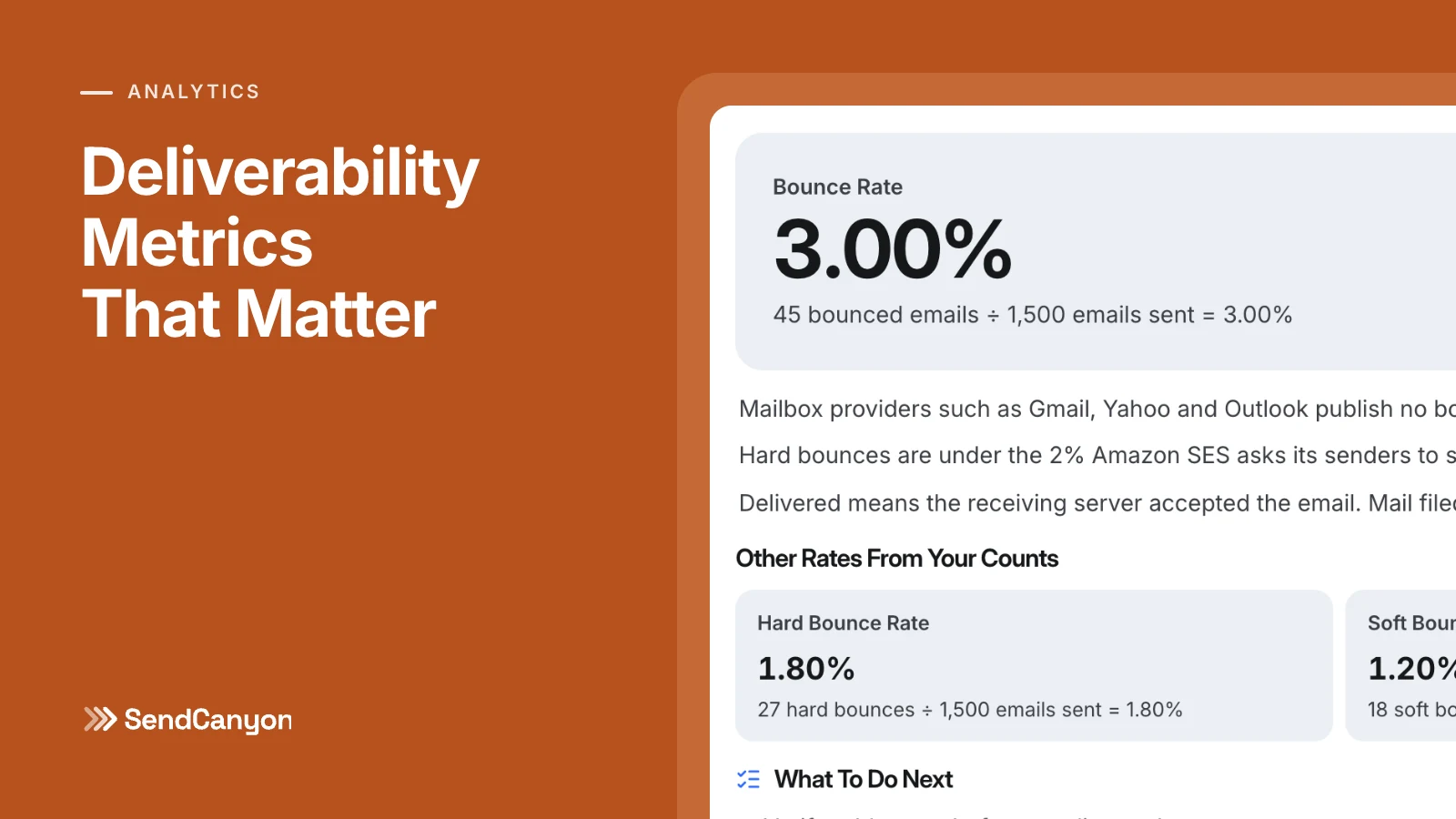
A hard bounce means the address doesn't exist — and every one tells the receiving server you're mailing a list you didn't verify. This is the metric with the sharpest cliff: SendCanyon's deliverability health card stops calling bounces good at 2%, and every point above that is reputation spent on addresses that were never going to answer. Bounce rate should be an alert, not a report you read on Fridays. It's also the cheapest problem on this list to fix, because validation before import catches almost all of it.
Spam-complaint rate: the killer
Complaints are rarer than bounces and far more lethal. Google's email sender guidelines draw the line at a 0.3% spam complaint rate — above it, Gmail may reject or junk bulk mail from your domain — and ask senders to stay under 0.1%, one complaint per thousand sends. What drives complaints isn't usually the first email; it's sequence length, ask drift, and mailing people with no plausible reason to hear from you. If this number moves at all, treat it as a fire.
Inbox placement: the number nobody shows you
Delivery rate says the receiving server accepted the message. It says nothing about which folder the message landed in — spam-foldered mail counts as "delivered." Placement (what fraction reached the actual inbox) is the metric all the others are proxies for. You can estimate it with seed lists, which is what an inbox placement test does, or infer it from its shadow: when open rates on a stable audience drop sharply in a week with no content change, that's placement moving, not interest.
Worth a weekly glance
- Open rate — as a trend, never a level. Apple Mail Privacy Protection and image-prefetching proxies fire tracking pixels for mail nobody read, so the absolute number is fiction. But a sudden drop on a consistent audience is still the earliest cheap warning of placement trouble. Watch the derivative, ignore the value.
- Soft bounces. Mailbox full, server timeout, greylisting — individually meaningless, worth attention only if one domain or one mailbox shows a cluster, which usually means you're being rate-limited or provisionally distrusted.
- Unsubscribe rate. A modest unsubscribe rate is the system working — a clean exit that isn't a complaint. Leave a steady rate alone. A spike against your own baseline, though, usually means a targeting mistake on a recent import.
- Per-mailbox and per-domain splits. Aggregate numbers hide sick senders. One mailbox at 6% bounces inside a healthy fleet is invisible in the average and obvious in the split view.
A note on cadence: bounce and complaint checks belong on every sending day, because their damage compounds within a single campaign. Everything else in this section is a weekly ritual — fifteen minutes with the per-mailbox and per-domain splits open, looking for the outlier rather than admiring the average.
Decoration
- Delivery rate. It measures whether servers said "250 OK," which unauthenticated spam achieves most of the time. A 98% delivery rate is compatible with 100% spam-folder placement.
- Total sends. Volume is a cost, not an achievement. Celebrating sends is celebrating spend.
- Click rate on cold email. Cold emails mostly shouldn't carry tracked links (they hurt placement and prospects don't click links from strangers anyway); the resulting rate measures nothing. The reply is the click.
- Open counts per contact. "Opened 7 times!" is a proxy war between tracking pixels and mail-client prefetchers. Nobody read your email seven times.
Reading them together
No single metric diagnoses a program; the pairs do. Low replies with clean bounces and stable opens is a copy or targeting problem — infrastructure is fine, message isn't landing with humans. Falling opens with rising soft bounces is a placement problem — pause, check authentication, cut volume, re-warm. Rising hard bounces right after an import is a list hygiene problem with a known start date and a known fix. This is why single-number dashboards mislead: the same low reply rate calls for opposite responses depending on which neighbor moved.
This composite reading is what SendCanyon's deliverability health score does mechanically: it blends bounce, complaint, unsubscribe, reply and open rates for the campaigns you filter to into a single 0–100 score, with bounces and complaints weighted heaviest, precisely so the tripwire metrics can't hide inside healthy-looking averages. But score or no score, the discipline transfers to any stack: alert on bounces and complaints, steer by replies, trend the opens, and never let a green "delivered" number stand in for the question that matters — did it reach a human who might answer?
Measure fewer things, and mean them. Cold email programs rarely die of bad copy; they die of unread warnings.
Keep reading
- DeliverabilityLinks In Cold Email: What We Tested And What Gets FlaggedHow many links can a cold email carry, and which ones get it flagged? We tested shorteners, redirects, IP links and blocklisted domains through a spam filter.8 min read
- DeliverabilitySPF Softfail Or Hardfail? Choosing The Policy For Other ServersGoogle recommends ~all and Microsoft recommends -all. What each tells a receiver, how DMARC treats them, and how to choose without losing forwarded mail.3 min read