Introduction
Your plain first email was getting replies. Then you added a calendar link, a case study and a short link to a demo video, and the replies stopped. A prospect who did answer forwarded a screenshot: your email, in their junk folder. Nothing in the copy changed, so it is natural to suspect the links. The question is which links, and why.
Search for advice on links in cold email and you will find precise-sounding numbers: every link past the third adds a fixed amount to your spam score, five links cut your inbox rate by some exact percentage. We could not find a primary source for any of them, so we tested instead. We took one short cold email, changed only its links, and scored each version with a spam filter and a full set of content checks.
The result was clear enough to change how you should think about links. The number of links barely registered with the filter. The domain behind each link, and whether the link was honest about where it went, decided almost everything.
How A Filter Reads A Link
A filter does not click anything. It extracts every URL in the message, then asks a few questions of each one:
- Is the domain on a URI blocklist? Lists such as the Spamhaus Domain Block List and SURBL track domains seen in spam, phishing and malware. A filter looks up each link's domain against them at the moment it scores your message.
- Does the link hide its destination? Shorteners, redirect parameters and bare IP addresses all stop the reader (and the filter) from seeing where a click lands.
- Does the visible text match the address? Text that reads like one address while the link goes to another is the signature move of phishing.
- Is it an ordinary web link at all?
javascript:ordata:links have no business in an email.
Google's sender guidelines put the principle in one line: "Web links in the message body should be visible and easy to understand. Recipients should know what to expect when they click a link." (Google's email sender guidelines)
The Test
The base email was a plain, personalised first touch from a fictional sender, [email protected], with an opt-out line and no other issues. With no link it scored 100 out of 100 and 0 on the spam filter, against a threshold of 5.0. We then swapped in each link setup below and checked again, changing nothing else.
| Link setup | Content score | Spam filter | What was flagged |
|---|---|---|---|
| No link | 100 | 0 | Nothing |
| One https link on the sender's own domain | 100 | 0 | Nothing |
| One bit.ly link | 85 | 0 | Link shortener (failed) |
| One link to http://203.0.113.24 | 84 | 0 | Link to an IP address (failed); http link |
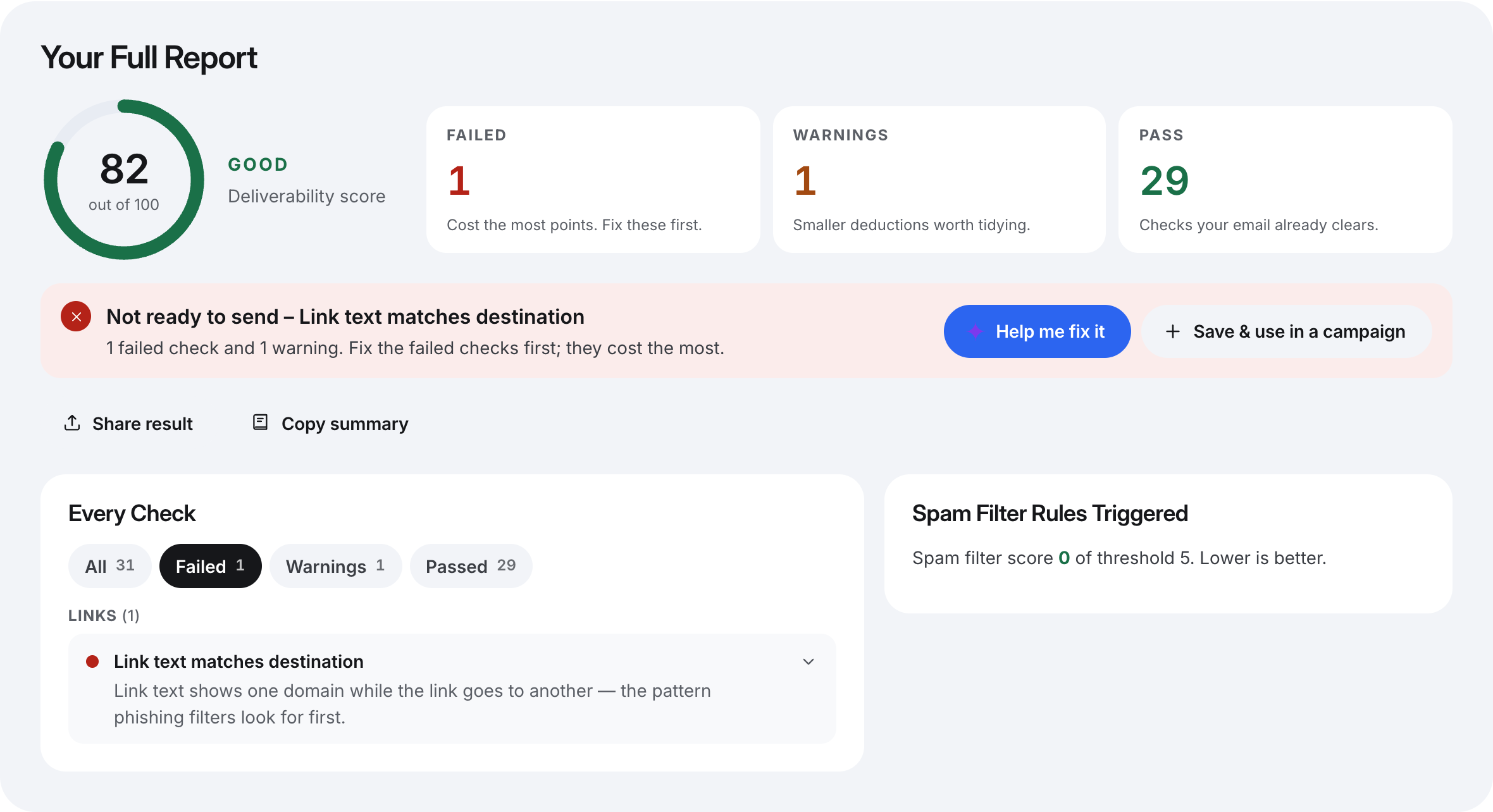
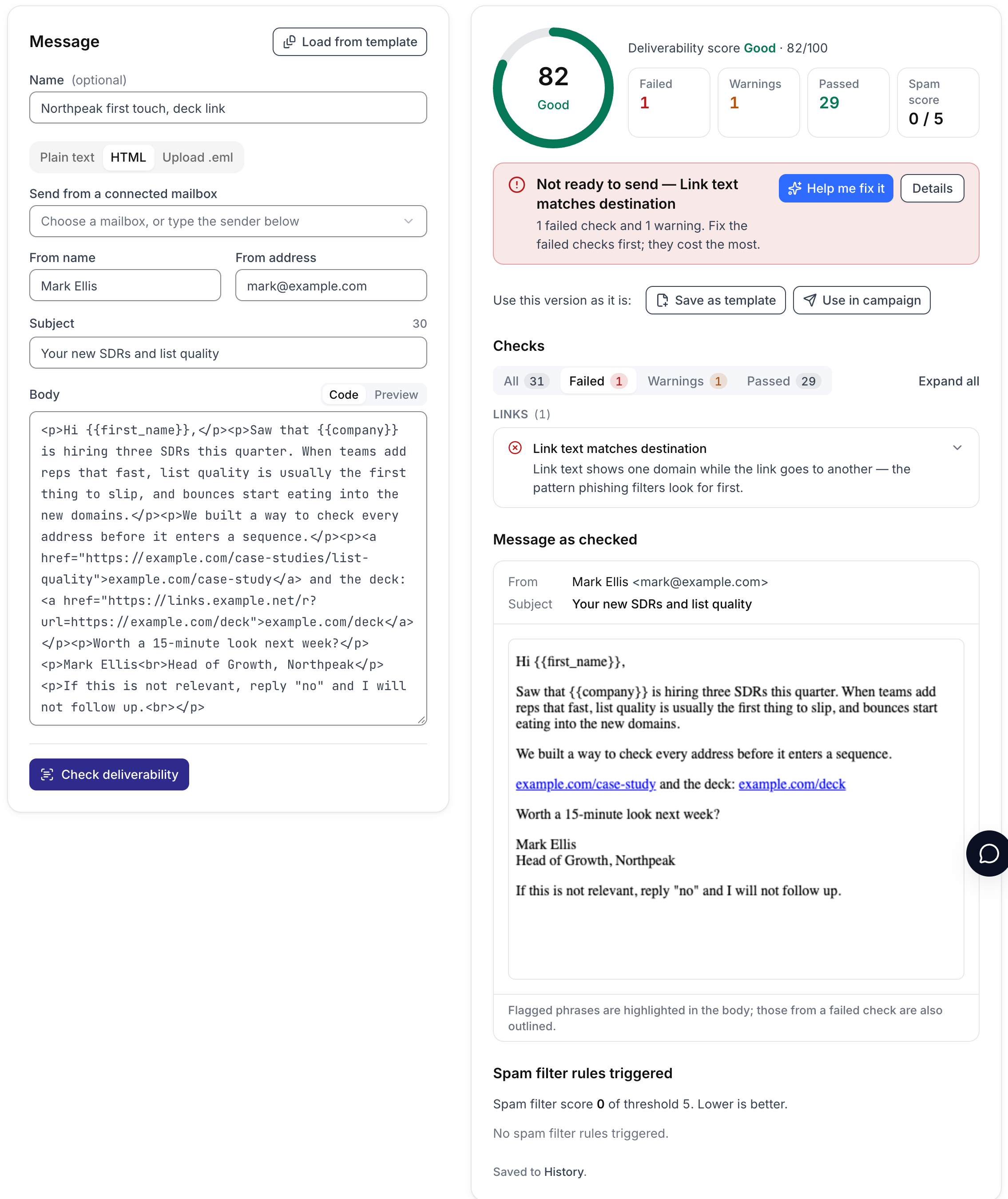
Text example.com/deck, link through a redirect on another domain | 82 | 0 | Link text does not match the destination (failed); redirect |
javascript: link | 85 | 0 | Unsafe link scheme (failed) |
| Seven links across five domains | 91, not ready | 0 | Too many links (failed); four outside domains |
Click here text and an empty # link | 94 | 0 | Click here phrase; link with no destination |
| Links to the Spamhaus and SURBL test domains | 51 | 8.7 | Listed on URI blocklists: over the spam threshold |
Every row except the last scored 0 on the spam filter. The content checks did the catching. The last row is the only one that a filter alone would have treated as spam, and it was not close.
Link Count Was Not What The Filter Scored
Seven links across the sender's domain and four others — a calendar booking page, a video, a review site and a blog platform — added zero spam filter points. So the claim that each extra link adds a fixed penalty did not hold on the filter we tested. Different filters weigh things differently, and we cannot speak for every one, but count alone was not a rule here.
The content checks still failed it, and we think that is right. Seven links in a message from a stranger reads as a newsletter, not a note, and that is a judgement about readers rather than filter rules. Each extra domain also adds another reputation you are borrowing: if any one of them is listed tomorrow, every message carrying it pays. Our checker passes up to three different links, warns from four to six, and fails seven or more; it also warns when links point to more than two domains besides your own.
The Domain Behind The Link Is What The Filter Scored
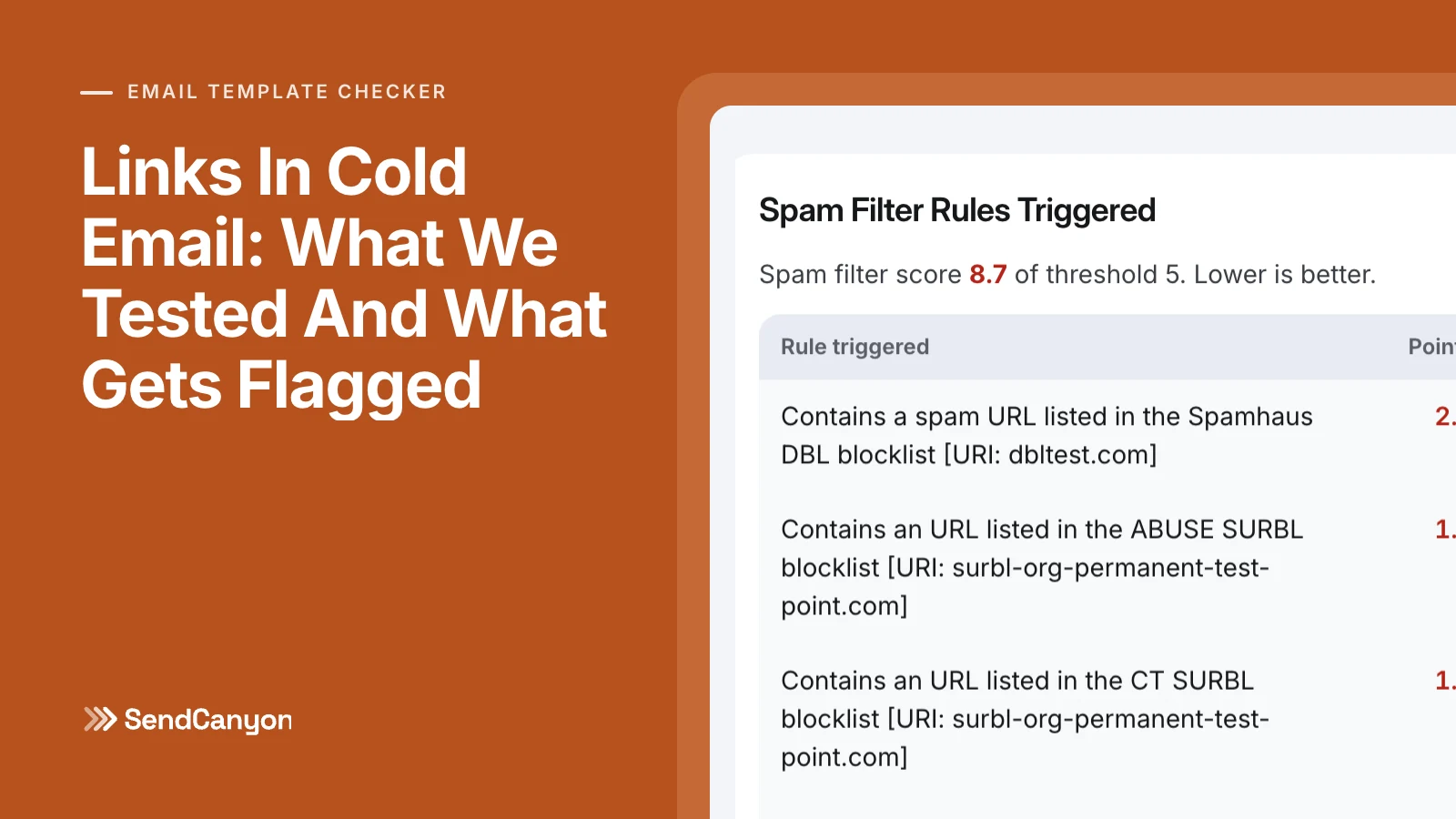
Spamhaus and SURBL both publish permanent test entries — dbltest.com and surbl-org-permanent-test-point.com — so administrators can confirm their lookups work. Putting both in an otherwise clean email took the spam filter from 0 to 8.7, well over the 5.0 threshold. The DBL listing alone was worth 2.5 points, and the SURBL test entry matched four of SURBL's lists for 6.2 between them.
Spam filter score: 8.7 (threshold 5.0)

 points  rule
------  ------------------------------------------------
   2.5  Contains a spam URL listed in the Spamhaus DBL blocklist
   1.9  Contains an URL listed in the ABUSE SURBL blocklist
   1.7  Contains an URL listed in the CT SURBL blocklist
   1.3  Contains an URL listed in the CR SURBL blocklist
   1.3  Contains a URL listed in the MW SURBL blocklist
Nothing else about the email changed. Same copy, same sender, same subject. This is why a link domain you do not control is a liability: its listing status changes without you, and the next message you send inherits it. It is also why a shared link-tracking domain is worth thinking about. If your sending tool rewrites every link through a domain shared by many senders, that domain's reputation, good or bad, travels with your message.
Patterns That Fail Outright
Four link patterns failed the content checks on their own, each costing 15 points. None of them moved the spam filter in our test, which is exactly why they need a separate check: they are what recipients and phishing classifiers react to, whether or not a rule fires.
Link Shorteners
A public shortener such as bit.ly hides the destination, and its domain is shared with everyone who has ever shortened a link with it, spammers included. A shortened link in a cold email from a stranger is a reason not to click. Link to the full address on your own domain instead; if the address is long, use descriptive link text in an HTML email.
Links To An IP Address
http://203.0.113.24/case-study tells the reader nothing about who they are about to visit, and legitimate businesses almost never link that way. The checker also decodes the disguised forms — decimal, hex and octal IP addresses — because those are only ever used to dodge a filter.
Link Text That Names Another Address
In our test, the link text read example.com/deck while the link actually pointed at a redirect on links.example.net. That is the pattern phishing is built on: show a trusted address, send the click somewhere else. Text that is the same domain with a different path is fine — example.com/case-study linking to https://example.com/case-studies/list-quality passed — because the reader still lands where they were told. Plain words such as the case study avoid the problem entirely.
Script And Data Links
A javascript: link usually arrives by accident, copied from a web page's button. Mail clients block these, and filters treat them as an attack. The same goes for data: and file: links. Use an ordinary https:// address or remove the link.
Smaller Things Worth Fixing
- Redirects to another domain. A link whose
?url=or similar parameter forwards to a different site hides the destination and borrows the redirector's reputation. Link straight to the final page. - Plain
http://. A minor warning on its own, but there is no reason to send one in 2026. - Empty or
#links. Usually left over from a template. They go nowhere, and they suggest the email was not proofread. - Click here. It is on our spam phrase list for a reason: generic link text on a link from a stranger tells the reader nothing. Name what they will get: the two-minute demo, the pricing page.
How Many Links Should A Cold Email Have?
For a first touch, zero or one. With no link at all, there is nothing to look up, nothing to mismatch and nothing to list, and the call to action becomes a question the reader can answer with a reply, which is what you wanted anyway. When a link genuinely helps, such as a case study the reader would ask for, use one, on your own domain, over https, with honest text. A second link is fine when it earns its place. Beyond three, you are writing a newsletter.
Follow-ups are where a single link, such as a calendar page, does its best work: the reader has seen your name before, and the link answers a question you have already asked.
How SendCanyon Handles This
Paste your template into the free email template checker and it runs every link check above alongside the spam filter score, listing each rule a link triggered. If your sending tool rewrites links for click tracking, upload the .eml of a message it actually sent, so the checker sees the links your prospects will see rather than the ones you typed.
Inside SendCanyon, the link checks run as you write: the live deliverability score on each step in the sequence editor flags a shortener, an IP link, link text that names another address or a redirect the moment you paste it, and the full template checker adds the spam filter score for the step. Open and click tracking is a per-campaign switch on the Sending tab. With it on, links are rewritten through SendCanyon's tracking host so clicks can be counted; with it off, every link goes out exactly as you wrote it, which is the cleanest choice for a first touch judged by replies. The template checker guide explains each check and its weight, and our guide to testing a template for spam covers the rest of the pre-send routine.
Keep reading
- DeliverabilitySPF Softfail Or Hardfail? Choosing The Policy For Other ServersGoogle recommends ~all and Microsoft recommends -all. What each tells a receiver, how DMARC treats them, and how to choose without losing forwarded mail.3 min read
- DeliverabilityMultiple SPF Records: Why Two Break Mail And How To Merge ThemTwo TXT records starting v=spf1 make SPF fail for all of your mail. How to merge them into one without dropping a sender or changing what the old ones meant.2 min read